Device-locked License
A device-locked license is installed on the computer that is running the DNV software. The license file is linked to the specific hardware of the computer it is initiated on; hence the licence file cannot then be shared to another computer.
An online connection is required for the initial license installation, after which the PC can be offline for up to 45 days before refreshing. To refresh, simply open the software with internet access. The 45 days will be reset every time the software is launched whilst internet access is available.
Licence Administrator: Obtaining your access key
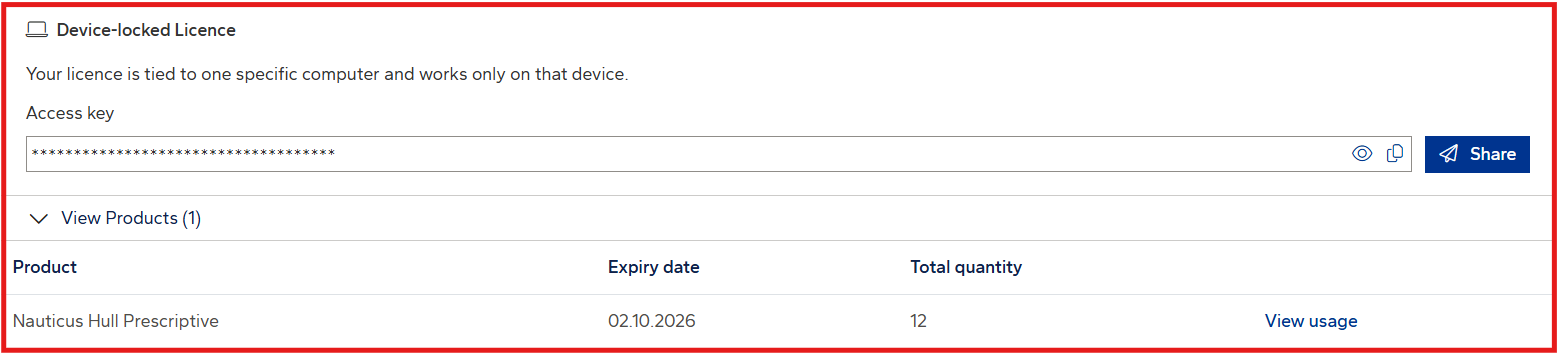
A designated Company License Administrator retrieves an access key from My DNV Software and forwards it to the end user. Only Company Licence Administrators have access to these codes.
The access key is obtained from the Access Key section of the Licenses tab. One access key provides access to all products your company is entitled to. You can either:
- Copy the key to share manually, or
- Share to send an email with the key, setup instructions, and learning resources.
End user licence activation
How to acivate your license is described in detail in the End user license activation page.
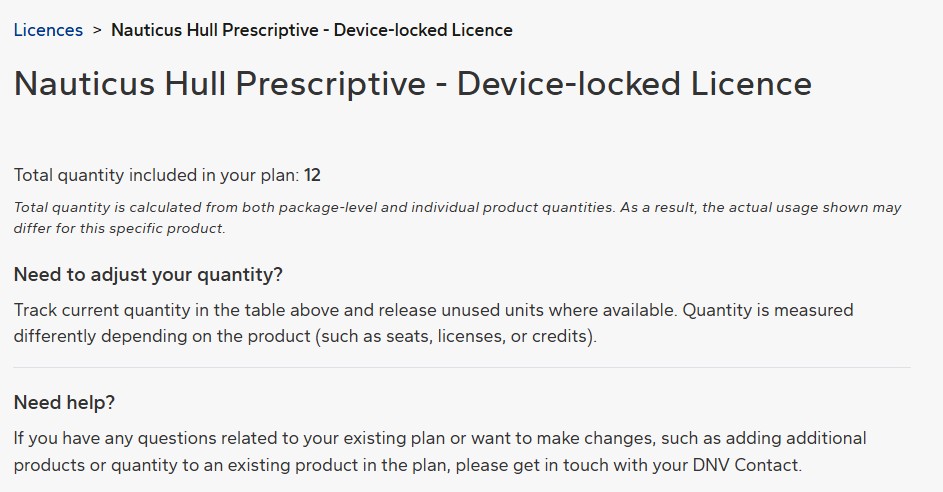
Viewing your usage
The designated Company Licence Administrator can monitor usage in My DNV Software, under the Usage section of the Licences tab. This allows administrators to see which users are currently using the licences.
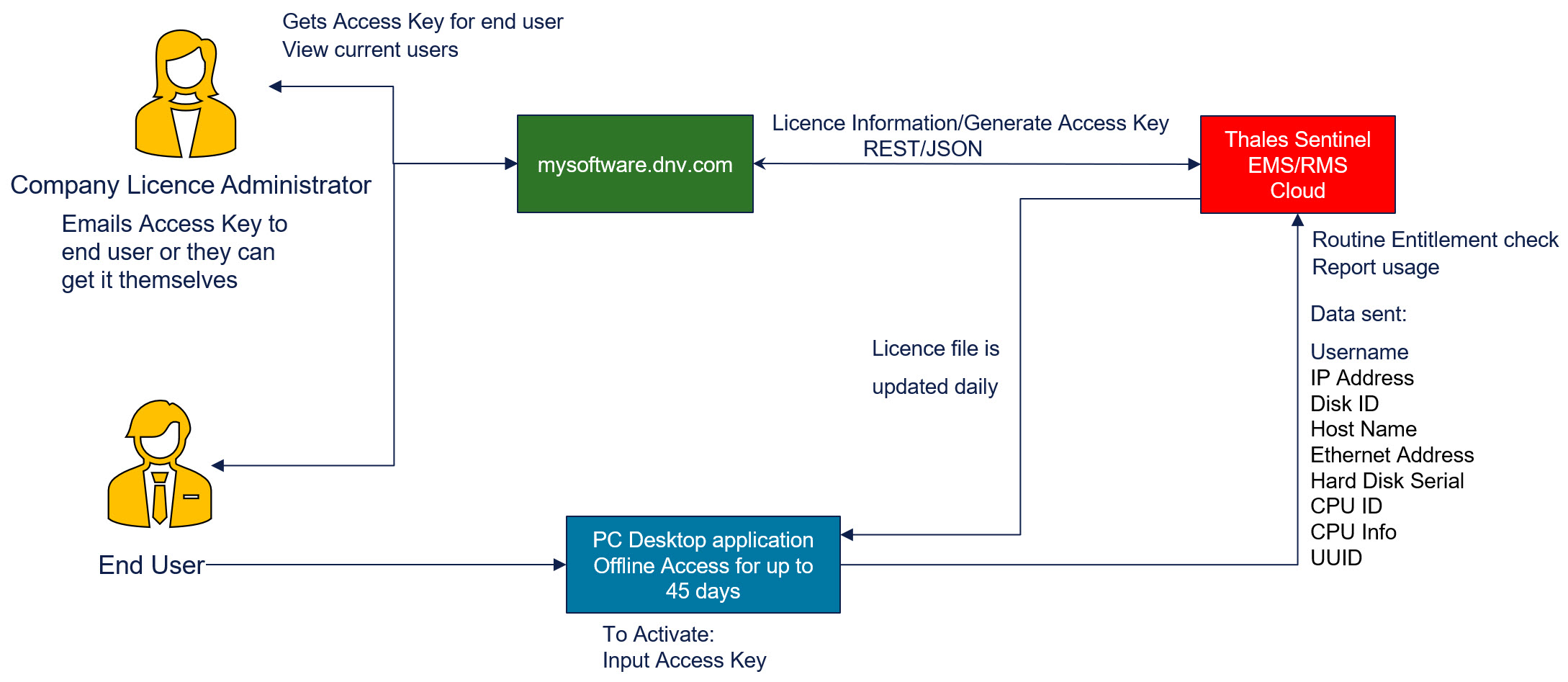
Data flow
The figure below illustrates the data flow:
Data security
An overview of data security for the licence system can be found in the Thales document: Thales Sentinel EMS
For more details and certifications, see the Thales knowledge base article: Sentinel Services Trust Page
The Licence Manager server URL is: dnvas.prod.sentinelcloud.com
FAQ's
- How do I know when my licence will expire?
Each product listed after activation will display the expiration date of the licence in the column "Information". - How do I know if my licence will work with the current version of the installed software?
If the licence is not supported by the version of the application being launched, an error message will appear showing the message like 'Due to SLA (Service Level Agreement) expiration...'. Furthermore, the "Message" column in the Licence Activation Tool shows the SLA expiration date for each product. - Licence has stopped working
The Device-locked licences require your computer to be connected to the internet at least once every 45 days. - How do I transfer usage of a licence to another user / computer?
Email us for assistance: software.support@dnv.com - Can I use a Cloud-Managed licence together with a Device-locked licence on my PC?
Mixing licence types is a new feature available with latest Application Version Manager ver4.2.